Magnifying glass for image zoom using Jquery and CSS3
Description
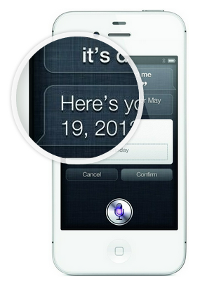
Learn to make a realistic magnifying glass using Jquery and CSS3. Hover above the image to see the action.
The code uses CSS3 box-shadow and border-radius properties to create the magnifying glass. Jquery is used to position it at the cursor coordinates and change the background position accordingly.
Moving the cursor away from the image gently fades out the magnifying glass bringing the image back to the default state.
58 Comments
Description


58 Comments
(close)nodexy
So cooooooool !
jdev
not working on my side… latest chrome on w7
jdev
i mean after the video has stopped… anyway, this is brilliant!!!
Ajdin
Thanks for sharing, will definitely use
@andi1984
Really nice, but the small iphone picture change it’s position if I fade out the magnifier to the bottom. But I didn’t found the bug itself. But, nevertheless: Really nice work!
James
Hey there,
How do i get this to run on my webpage?
how do i intialize the Java on my webpage?
Does anyone have a live example? or can anyone help?
Thanks
James
Robert
This is very cool, and worked first time when I experimented with it.
One question: what if I want to replicate the magnifying glass across numerous images?
One observation: on older IE versions the magnifying effect works, but without the glass around it – because older IE doesn’t support one or both of the border-radius or the box-shadow in CSS3. But that’s always the issue with older IE of course.
Really well done, and thanks for really eye-opening tutorial.
Jamison
I have most of it working, but the large image is not moving, can some one check out my test page and tell me what im doing wrong http://sterlingridge.turnpostadmin.com/interactive-map/
Thanks
Jamie
Jamison
Actually it works ok in firefox and safari but chrome is the issue
John Bash
This is awesome. Just playing with it…
Imran Latif
Nice Work. I have done a similar thing by using HTML5 Canvas and it also works fine, I used Canvas because it gives us a lot of flexibility and we can even zoom-in other Canvases. If you like to see my work, I would love to share it with you. :-)
Andrew
This is just beautiful! Thank you.
Could anyone tell me how to get the magnifying glass to offset about 50px above the click? I am trying to use this on a touch device and my thumb keeps getting in the way.
todi
@Andrew: Did you know you can play with the code directly here on the site?
Look for the following line in js and subtract by 50, done!
var my = e.pageY – magnify_offset.top;
Stijn
Marvellous work!
By adding cursor:crosshair; it becomes even cooler ;-)
Thanks for sharing!
Flavio
In IE9 doesn’t work.
satbir
doesn’t work in IE 8
lee
so cool ,awesome
mikec
Beautiful effect.
Any one got a fix for IE9 ?
Patrick
I’ve got it working well, but the zoomed image doesn’t follow the small one beneath it. Any insights?
martin
how do i use this for a website
Eid Shkhaidem
I don’t know who you are, I don’t know what you do.. but what I know is that who share knowledge with others deserve the best respect ever!!!!
chints
awesome & it is free!!!
moni kumar sinha
i tried this type zoom
Yap Kwang Yik
Is it able to make this workable in mobile browser?
lucky
help …..
i need help to add the code so that mor ethan one image can be zoomed into. i have tried for the past couple days but this only works for one image??
need help asap.
Dan
I’m trying to use a square image (large=1200px and small=200px) instead of rectangular like in your example.
When I hover the image, only the top left side can be viewed.
What do I have to change in coding to make it work with a square image?
Regards,
Dan
m.karthi
i apply the code fully but it not working. image is appear but zooming is not working
JorenR
This is brilliant, work perfect! But does anyone know how I make the small image disappear went the magnifier is on because when I go to the edge of the picture i still see the small image behind the zoomed image
Thanks in advance!
Joren
kyle
The background image is hard coded in the CSS??? This is not acceptable in real world scenarios.. Love how it looks though
Bhavnagar
Awesome, we are building portal on Bhavnagar and this can be used for product pages.
Thank you.
ather
can i use it for wordpress?
Maicon Sobczak
Congratulations for the project. The explanations are very good. Thank you for share.
PHAMTUPRO
Very very good
I’m like this
WAOOUU H
So Impressive the Code Player !
You re the best !
Pescade
It does not work on my side.I have tried on Firefox and Chrome.
AMZMA
wat? wat? wat?
the magnifier placed on backward image?
craic
This code is identical to http://codepen.io/StefanHiienurm/pen/hGLlt
Are you the original author or is Stefan Hiienurm ?
I want to give attribution on a site where I am using this code.
Rob Jones
Really nice script – I used it as the basis for this tutorial on my site :
http://apprentice.craic.com/tutorials/29
avinash
nice and excellent
Michelle
Check it out, I have done in less then a minute, one stylee is this and the other one is squere, not magnify, great and easy.
http://zoom-effect.blogspot.com/2014/01/zoom-effect-test.html
http://mix–er.blogspot.com/2013/12/blog-post_5383.html
Michelle Anne
Have you tried, first to apologize for bothering you, have you tried this one, maybe most simple of all effects
http://po.st/c7lCf9
Jaime Vallejo
Thanks… very useful.
Missing:
image_object.onload = function() {
native_width = this.width;
native_height = this.height;
};
Fails when image is a little bit heavy.
Foysal
How can I use it in two image ?
Need urgent answer please.
glen
i have a page with a photo that is retrieved with php from a mysql table.
is there anyway to get this to work on it? it looks awesome and id love to use it
Tom
I used this tutorial as the basis for the jQuery Magnify plugin:
http://thdoan.github.io/magnify/
Blaji
Nice ThankYou….
Daniel Pressley
This tutorial is awesome. My colleague adapted the concept to handle multiple images, as below. Thanks so much for sharing this!
http://www.myirelandtour.com/ireland-then-and-now/cork.php
newbie
Is there a way to make the magnifying glass so that it stays put with a click? Or can be dragged around, instead of using hover? I want something that remains when the mouse leaves the image.
Tushar
How to learn this cool concept of javascript. I think this is all about jquery but the way it works is great. I want to learn through basic to advanced. plz help.
@Onesix
Thank you brow! Its work. ^_^ Keep sharing. :)
free live tranny cam
Using Net Process Television set, you will not
have to settle for this sort of complications.
By using comparison, you will find six to eight Flash
connections. That means you can shift between power levels on-the-fly and tune for special
parameters like tire size.
Leonie
That is very fascinating, You are an excessively skilled blogger.
I’ve joined your feed and stay up for in the hunt for more of your
excellent post. Additionally, I’ve shared your website in my social networks
Longchamp Le Pliage Fuchsia Pink
Aw, this was an exceptionally nice post. In concept I would like to spot in writing such as this moreover – spending time and actual effort to create a exceptional article… but so what can I say… I procrastinate alot via no indicates find a approach to go completed.
Longchamp Le Pliage Fuchsia Pink http://carloans.co.uk/assets/LpxdR/
Lavern
the
leaky toilet tank when flushed
Water Meter Solutions also enlisted a property management business overseeing 3,000 apartment units in 75 buildings to test the product.
www.redcarpetdivas.ca
Danger is typically a element the specific Net casino utes don’t specifically
like to look at themselves.
https://www.youtube.com/watch?v=V4cuBzV2blA
Hi to every one, the contents present at this website are actually amazing for people knowledge,
well, keep up the good work fellows.
HIV
If some one wants to be updated with hottest technologies therefore he must be go
to see this web page and be up to date daily.